Category: COM561

  • Cultivate Your Vibe at Rootstock: The Final Campaign

    Cultivate Your Vibe at Rootstock: The Final Campaign

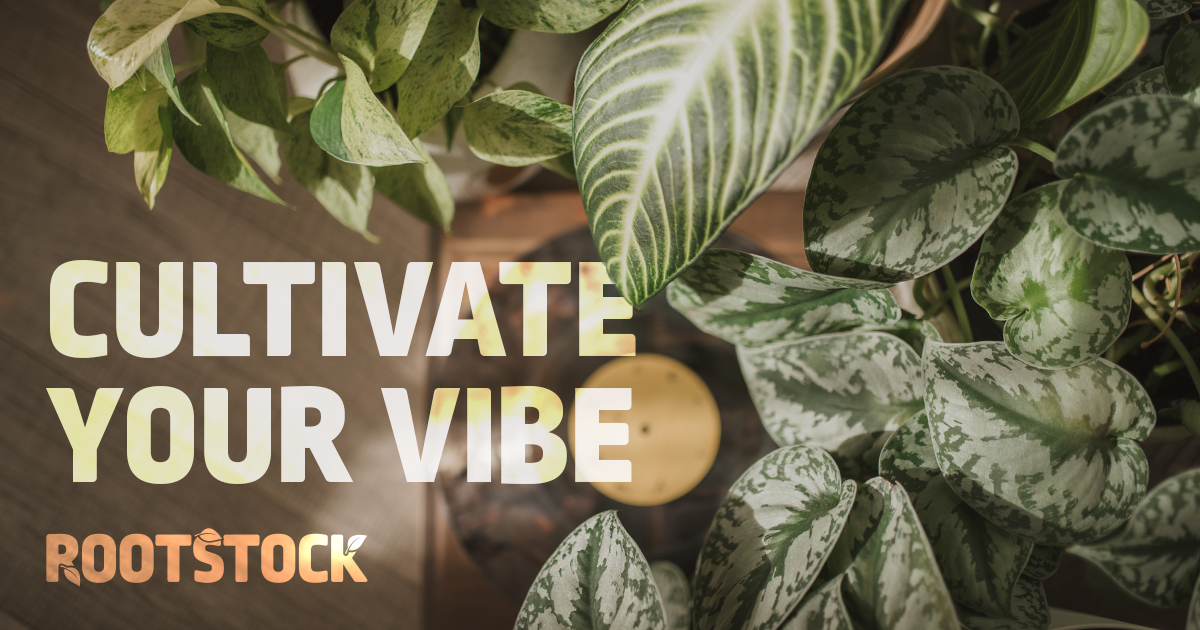
    Plants don’t just fill a shelf, they can transform how a space feels. This campaign isn’t really selling plants. It’s selling the vibe.

    Finding the Vibe

    I love plants (and have many), so a plant shop was an easy choice. I’ve found that my favorite storefronts are an experience: the lighting, the music, the energy of the space. The tagline followed naturally: Cultivate your vibe. It’s a play on a gardening word that doubles as a subtle call to action.

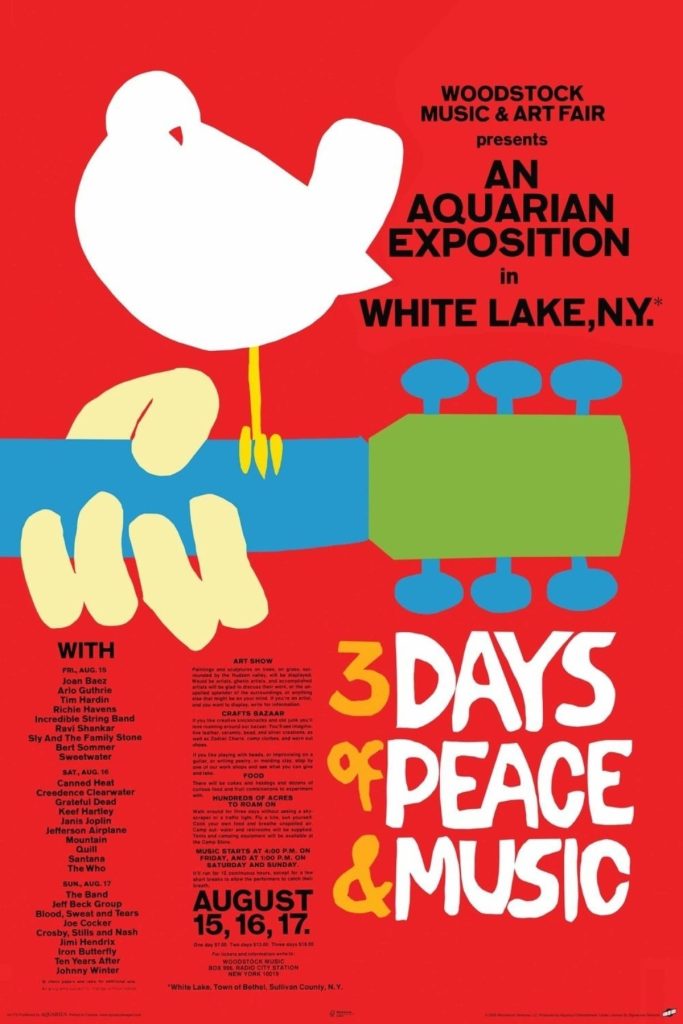
    What else brings the vibes? Music, of course. The name Rootstock nods to Woodstock, and the original 1969 poster by Arnold Skolnick became my starting point. It skips the era’s swirly, psychedelic type for bold, blocky, almost playful lettering.
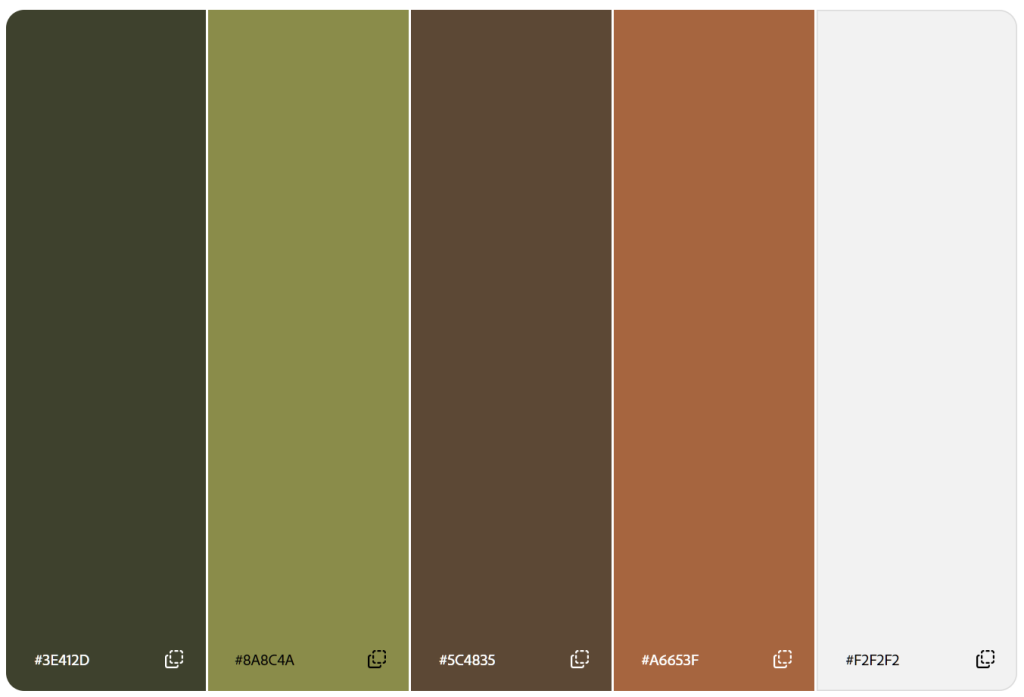
    For color, I pulled an earthy green directly from the plants, then added an accent green, a brown, a lighter beige, and a terra cotta inspired by the pots. As always, I tested every pairing for contrast in Adobe Color.
    Building the Logo

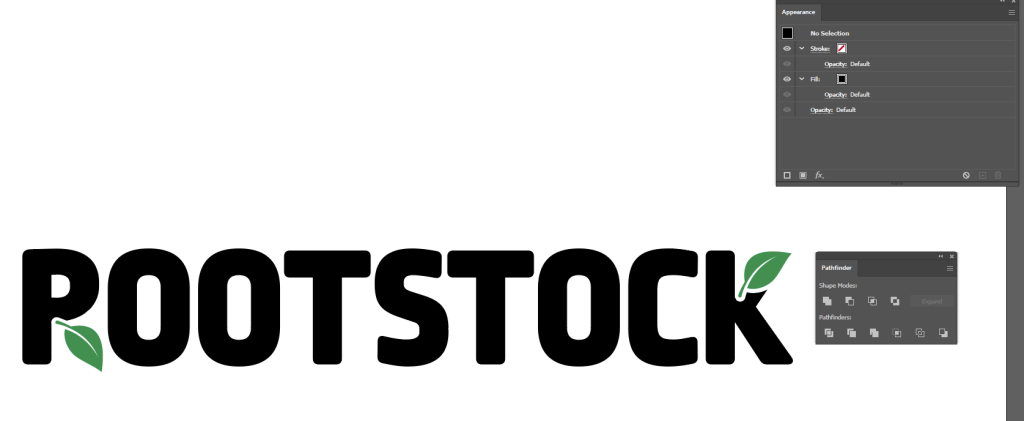
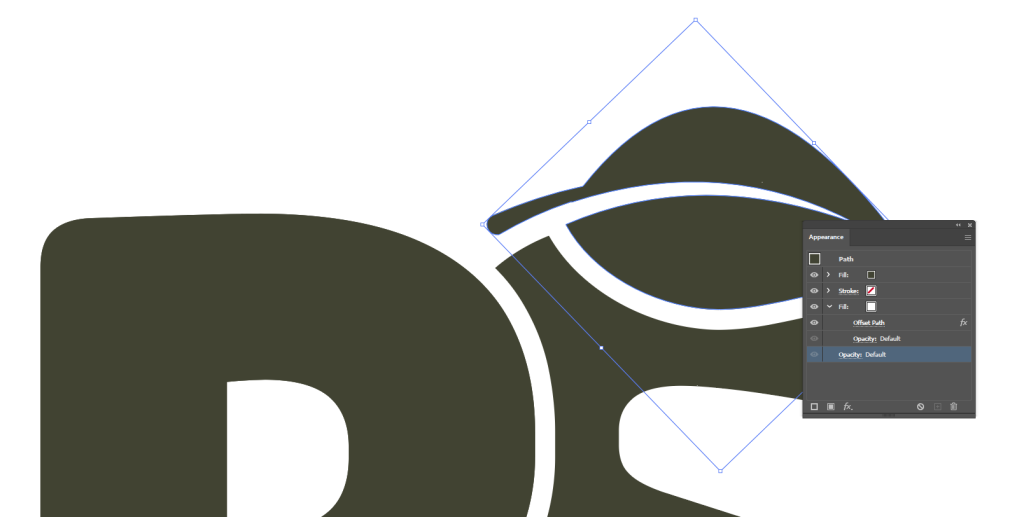
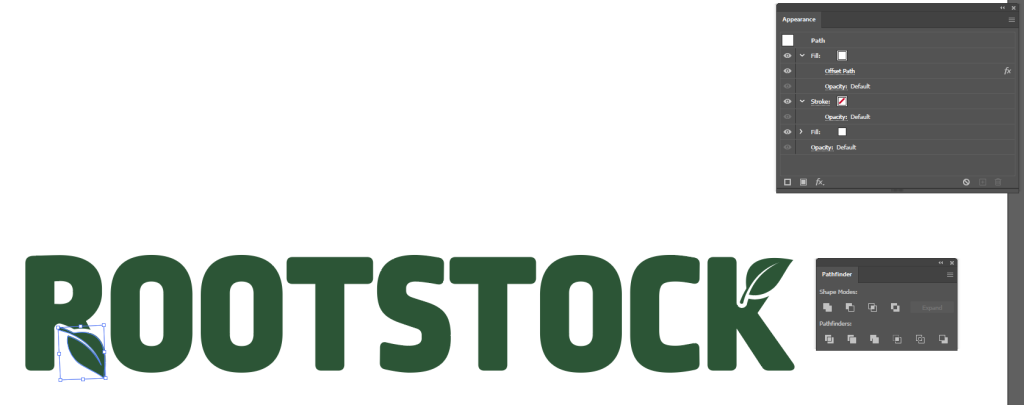
    Using Illustrator, I set the wordmark in Ropa Mix Pro, which has the poster’s blocky energy but is cleaner for legibility. Next, I drew a leaf with the Pen tool, then duplicated it. In the Appearance panel, I added a secondary fill and applied Offset Path to create a perfectly even white outline around one of the leaves. I lined the outlined leaf up to replace the legs in the R and K, then moved the K’s leaf to the top so the logo felt balanced. Finally, I used Pathfinder to knock the outlined leaf shape out of the letter-forms, leaving a perfect nook for the remaining leaf to nestle into.

    My first version had black letters, green leaves, and no R leg at all. It very clearly read Pootstock. After a good laugh, I switched to a single color and kept the start of the R’s leg so it didn’t look like a P.
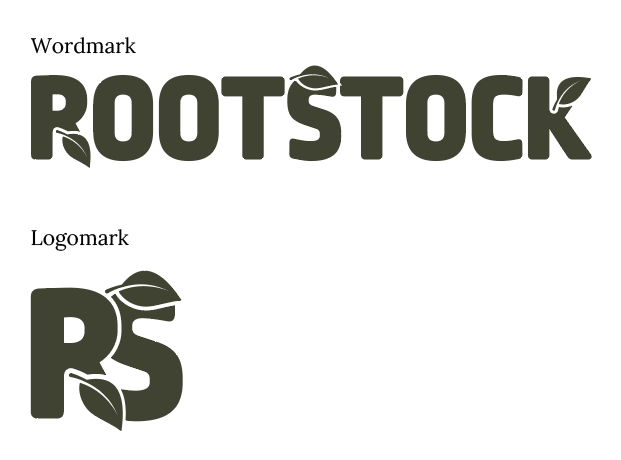
    A classmate suggested a condensed version of the logo for tighter spaces. Taking his advice, I built an RS logomark and added a leaf to the S, lining the negative space created by the leaf’s stem up with where the top of the S would naturally continue.
    I liked the S leaf so much that I brought it into the wordmark as well. While I’m happy with the logomark, I found that I wanted the full business name present on most of the materials so I used the wordmark most often.
    Setting the Scene

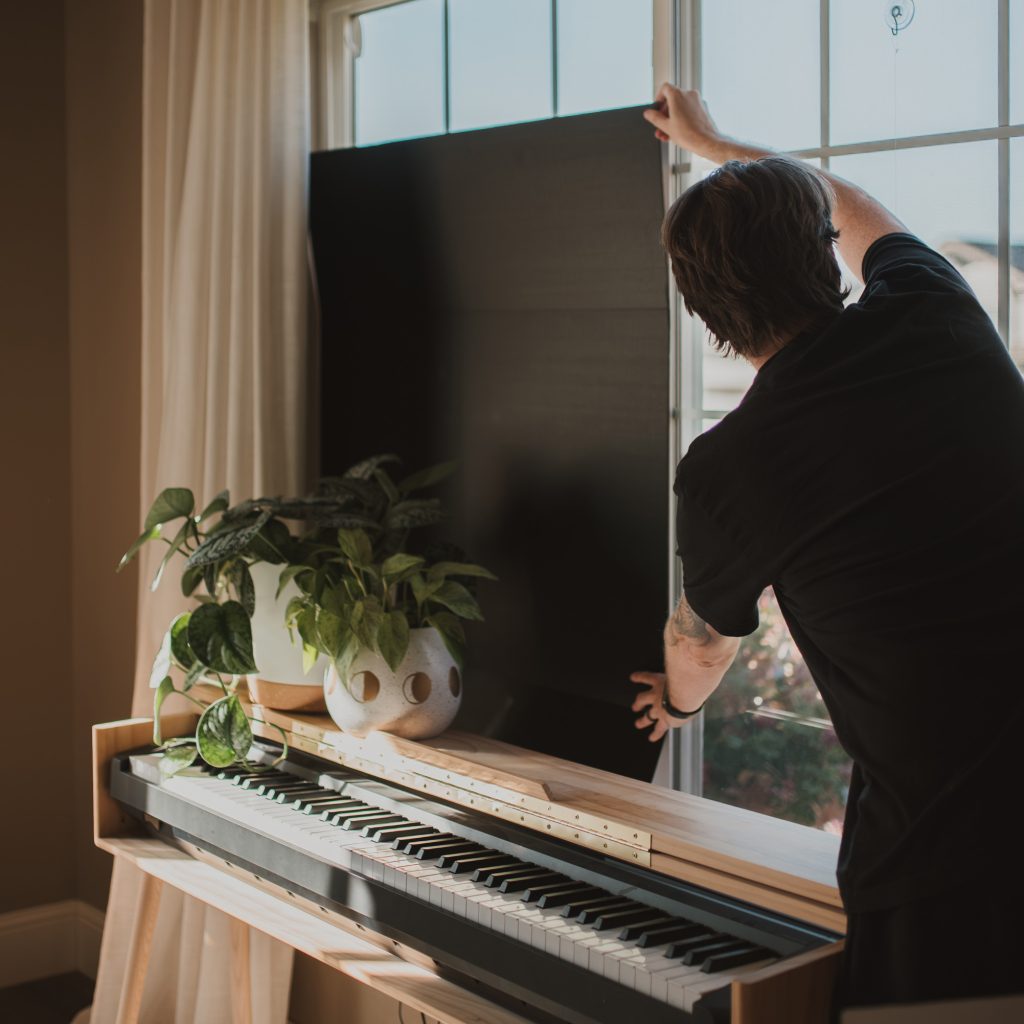
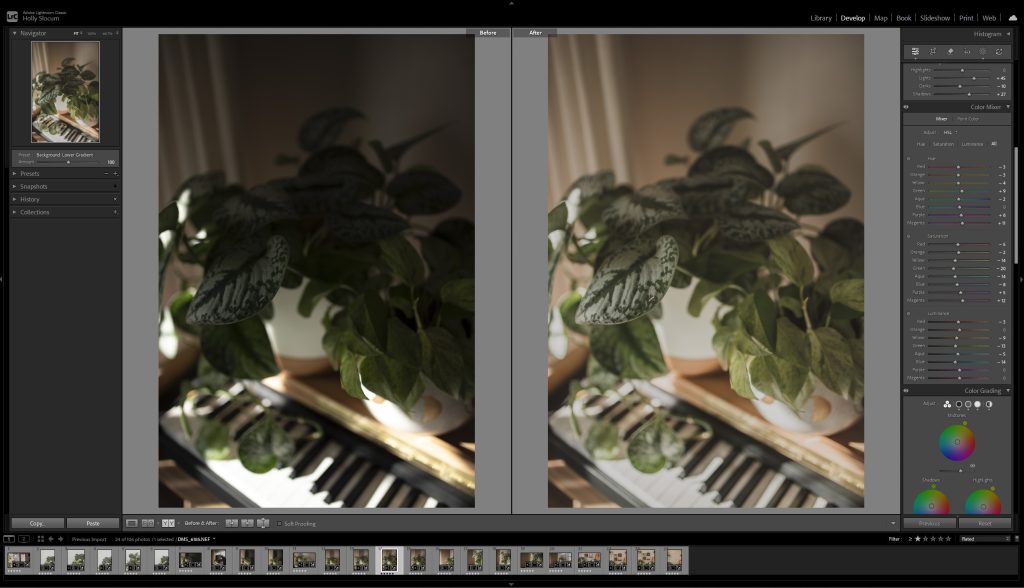
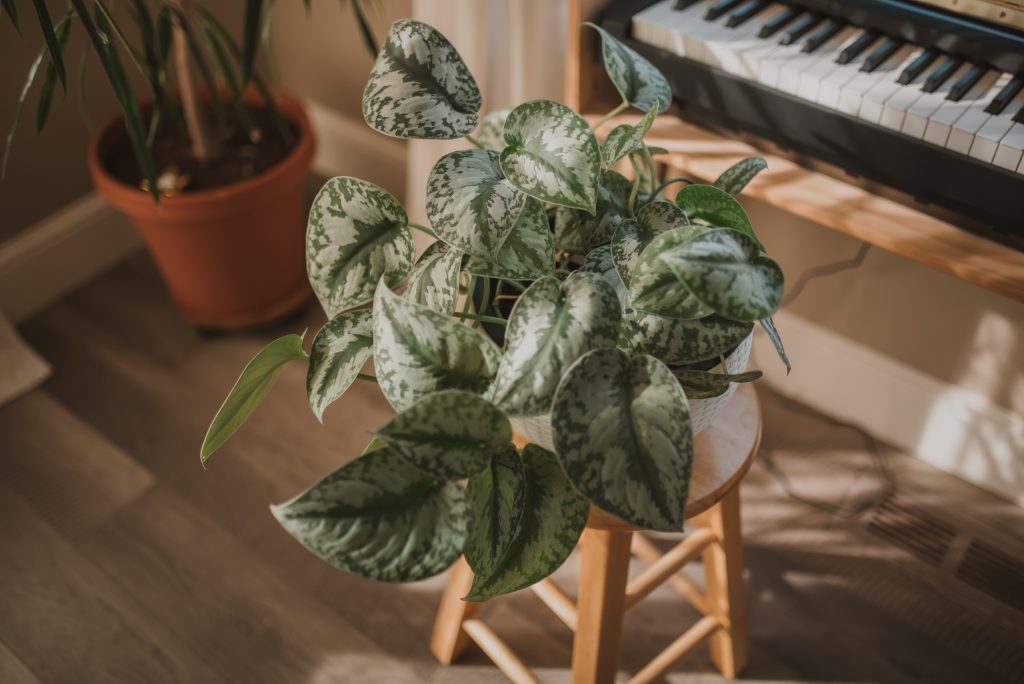
    I built sets at home using my plants, poster board, and things I had lying around. To me, good vibes mean sunbeams, so I waited for a sunny day and the right morning light pouring through the windows. I shot RAW, then color corrected in Lightroom Classic for a warm, cozy look that still kept the greens and whites true to color.
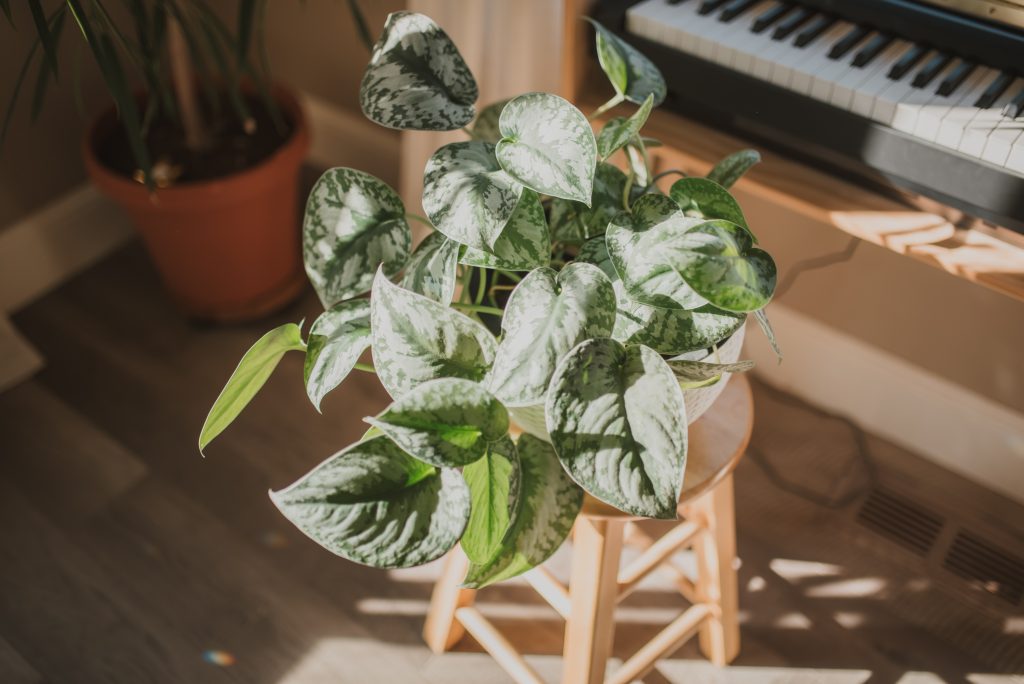
    Feedback I received also noted that my draft photos leaned heavily on one scene, which is something I noticed as well. For the final, I reshot with new plants and angles and replaced several photos throughout the materials so not every image showed the piano scene. This also gave me the opportunity to fix areas where my photos were overexposed in the draft. Shooting in dramatic lighting like sunbeams can be tricky because of the intense light against deep shadows. To help combat this, I diffused the sun coming through the window with sheer fabric.
    Letting the Leaves Break Free

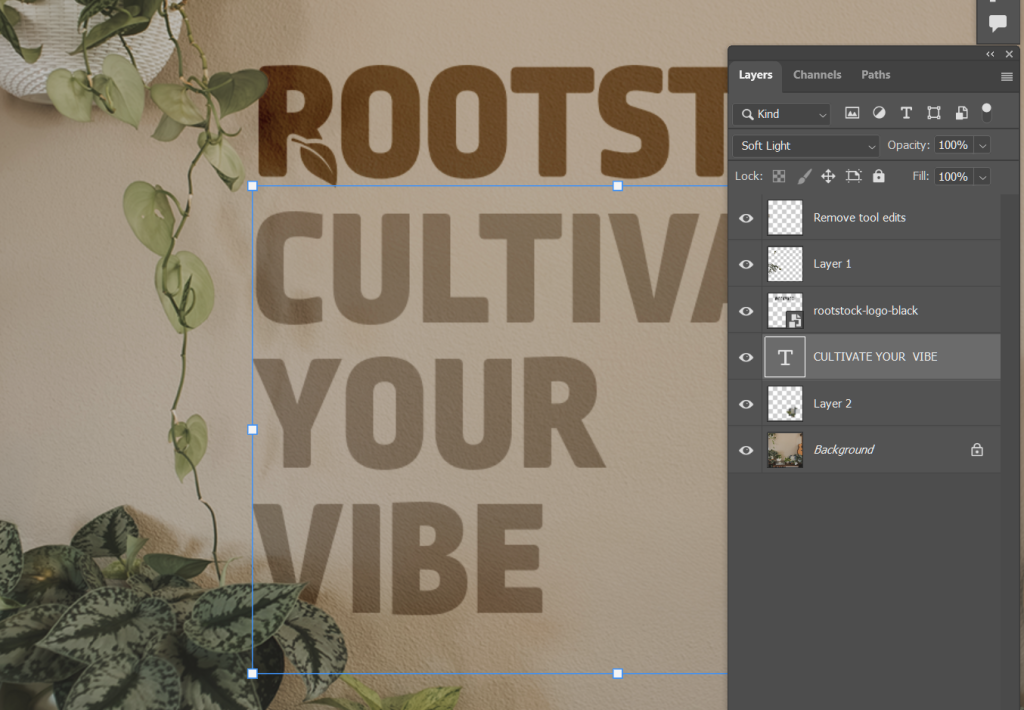
    In Photoshop, I isolated leaves with the Object Selection tool, refined them in Select and Mask, and duplicated each onto its own layer so it could sit in front of text or outside a frame. Plants grow beyond their pots and leaves overlap one another, so my plants grow beyond their frames and overlap text, too.
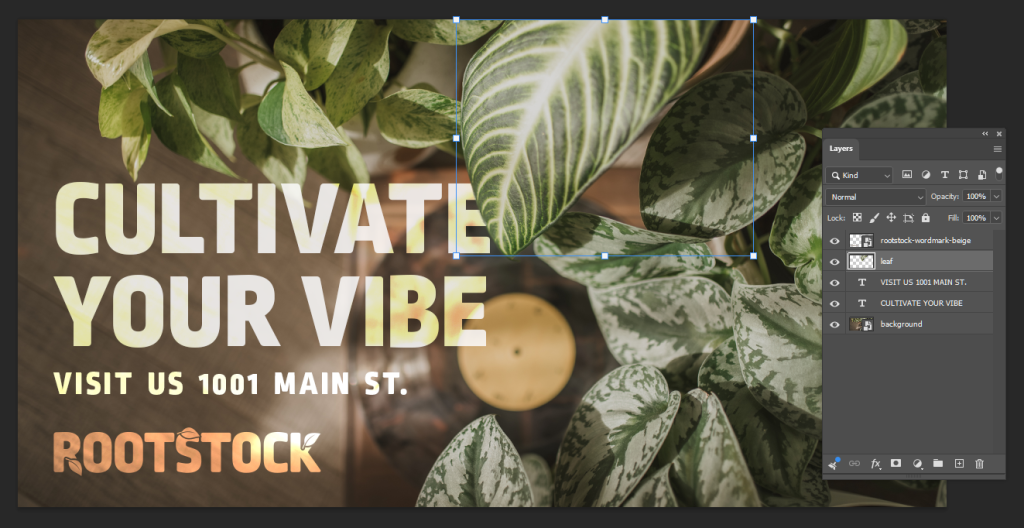
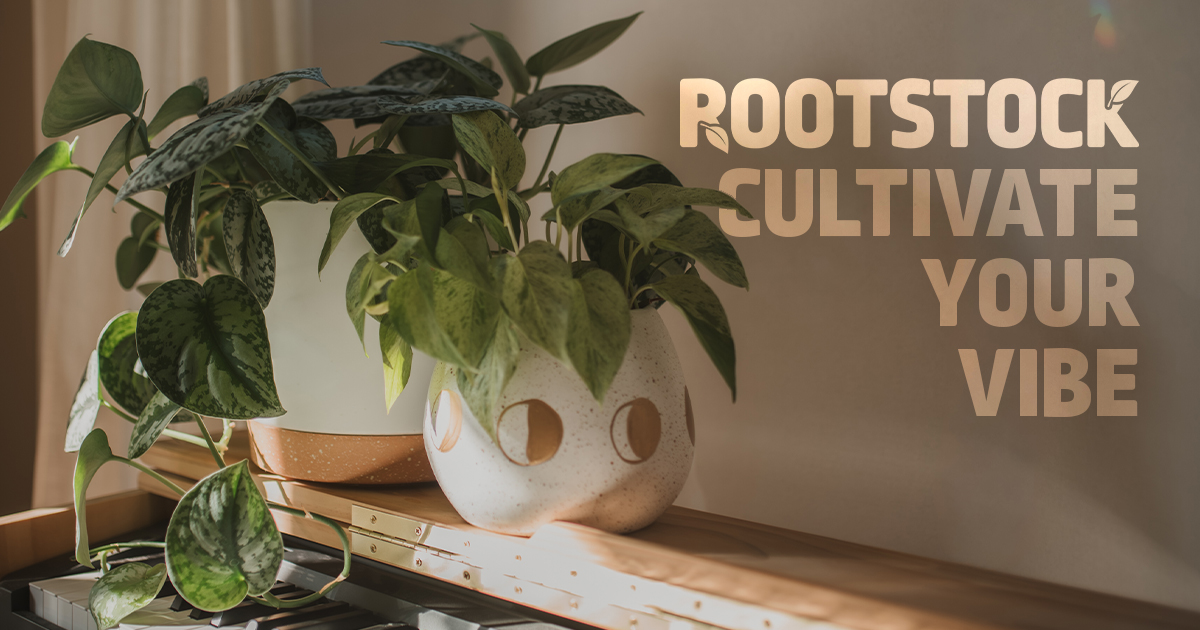
    On the social posts and billboard, I used vivid light and color dodge blend modes so the type catches the same sunbeams and light leaks as the photos. In the draft, though, the tagline and business name blurred together. In the final version, the tagline leads, with the logo smaller in a warmer color so each read distinctly from the other. I also replaced the social photos entirely so the posts and billboard share one consistent image. I chose it because I intentionally left open space to the left for text, while the plants are in focus and the music is secondary, which captures the campaign’s intention. The billboard also gained a call to action with the business address, for a simple, easy to read message at a glance.

    Pulling It Together in InDesign

    Revisiting the brochure interior was my biggest priority; the draft was a wall of text. I rebuilt it in columns using linked text frames, so the copy flowed through every edit. Guides kept each section evenly aligned and spaced, and turning off hyphenation kept the paragraphs neat and readable. I added new photos and the leaf motif inside, and placed the logomark on the back panel so text no longer stretched awkwardly across it. I also noticed my hours were written four different ways across the campaign, so they now match on every piece.

    Rootstock, Revisited

    Side by side, the materials now feel like they belong together. Like any good plant, Rootstock just needed a little more time, better lighting, and some nurturing to grow.
  • Cultivate Your Vibe at Rootstock

    Cultivate Your Vibe at Rootstock

    Rootstock may be a fictional neighborhood plant shop, but the feeling behind it is real. Plants don’t just fill a shelf. They can transform how a space feels. So the campaign isn’t really selling plants. It’s selling the vibe.

    Starting With a Feeling

    I love plants (and have many), so a plant shop was an easy choice. My favorite kind of storefronts in general all have one thing in common: they’re an experience. It’s not just product on a shelf. It’s the lighting, the music, and the energy of the space. I wanted the whole campaign to capture that feeling, and the tagline followed naturally: Cultivate your vibe. A good play on a gardening word tied in with what Rootstock is really selling.

    Pulling Color From the Plants

    Before I designed anything, I built my palette. Of course, I wanted an earthy green, and I pulled it directly from the plants themselves. From there, I added a brighter accent green in case I needed it, a brown and a lighter beige that echo the warm walls and sunlight in my photos, and a terra cotta accent inspired by the pots and the guitar in some of the photos. Together, they feel like a sunny afternoon in a room full of plants. Which is exactly the point.

    As always, I tested every pairing for accessibility and contrast ratio in Adobe Color. A cozy palette doesn’t do much good if people can’t read the text on it.

    A Nod to Woodstock

    What else brings the vibes? Music, of course. The name Rootstock is inspired by Woodstock, and I wanted to call back to the festival without being painfully derivative. So I went to the the original 1969 poster by Arnold Skolnick for inspiration. It doesn’t use the swirly, psychedelic type people associate with the era. It’s bold and blocky, almost playful. That became my starting point.

    Building the Logo

    For the logo, I wanted that same blocky energy, but cleaner for legibility. I landed on Ropa Mix Pro and adjusted the tracking until the letters felt comfortably spaced and unified.

    Next, I drew a leaf with the Pen tool, then duplicated it. In the Appearance panel, I added a secondary fill and applied Offset Path to create a perfectly even white outline around one of the leaves. I lined the outlined leaf up to replace the legs in the R and K, then moved the K’s leaf to the top so the logo felt balanced. Finally, I used Pathfinder to knock the outlined leaf shape out of the letterforms, leaving a perfect nook for the remaining leaf to nestle into.

    My first version had black letters, placeholder green leaves, and I had fully removed the R’s leg. When I stepped back, it very clearly read Pootstock instead of Rootstock. I got a good, hearty laugh before switching everything to a single color and ensuring the beginning of the R’s leg was visible in order to avoid looking like a P.

    Chasing Sunbeams

    I was stuck at home for this shoot, but I made do with what I had lying around: my own plants became the subjects, tri-fold poster boards became makeshift backdrops, and my husband became my assistant, holding things up while I shot.

    To me, good vibes always mean sunbeams pouring through the window, so when the rain let up, I jumped at the opportunity. Sunbeams are beautiful but tricky to photograph in. They create dramatic shadows, and keeping detail in them without blowing out the highlights was a balancing act. Shooting RAW on my DSLR gave me lots of room to correct in Lightroom Classic, my preferred color correction tool. I wanted warm and cozy, but still true to color.

    Letting the Leaves Break Free

    You’ll see leaves spilling out of their frames throughout the campaign materials. In Photoshop, I isolated each leaf with the Object Selection tool or the Magic Wand, whichever worked better, then refined the edges in Select and Mask. Once I was happy with the selection, I Ctrl+J duplicated the leaf onto its own layer, so it could be put in front of the text or sit outside a frame. Plants grow beyond their pots, so my plants grow beyond their frames, too.

    For the social posts and billboard, I used blend modes so the text would feel like part of the scene instead of sitting on top of it. Then I brought the edited photos into InDesign to assemble the final layouts.

    What I’d Change

    I’m looking forward to this week, because there are already so many things I want to change and I’m eager to get feedback from others, as well.

    Variety. For the photos, I relied on the same two or three scenes for most of the campaign. More setups would give the pieces more rhythm and me more variety when building the materials.

    Exposure. In some photos, a few of my brightest spots are blown out beyond recovery. They have to be reshot.

    Brochure. While I like the cover of the brochure quite a bit, the inside feels like it could use significant improvement to help with readability and visual interest. Currently, it’s pretty text-forward without a lot of design to help make the text more digestible.

  • Anything not saved will be lost.

    Anything not saved will be lost.

    It used to be that when you quit a game, your Nintendo console gave you a little warning: anything not saved will be lost. As it turns out, that was a bigger warning than we might have thought.

    Anything not saved will be lost sticker

    I’m Holly Slocum. I manage the Electronic Literature Lab where we preserve born-digital art, literature, and games. You can pop over to my about page if you’re interested in learning more about me, but for now, all you need to know is that I care a whole lot about keeping digital culture and history alive. I’ve been making things on computers my entire life, from KidPix in elementary school, to HTML on MySpace in middle school, all the way up to today.

    We can’t access most of what we created with back then. 38% of webpages that existed 10 years ago are now gone, according to Pew Research, and that number only increases the farther back you go. Companies end support for widely used publishing tools, hardware breaks, formats evolve, and all of it contributes to the accelerated loss of the earliest evidence of people figuring out how to make things with computers.

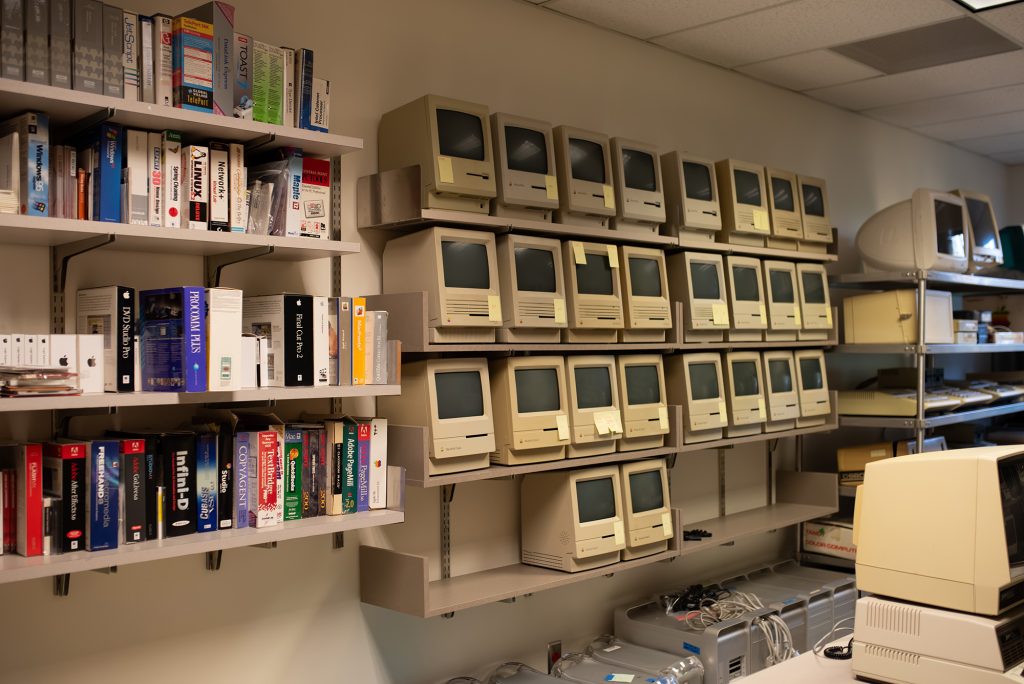
    At the Electronic Literature Lab, we’re trying to save that history. We maintain a collection of 164 Macintosh and Windows computers dating back to 1977, and a library of software, manuals, and born-digital works. We’ve also built and continue to manage The NEXT, an online library and museum that holds over 3,000 works.

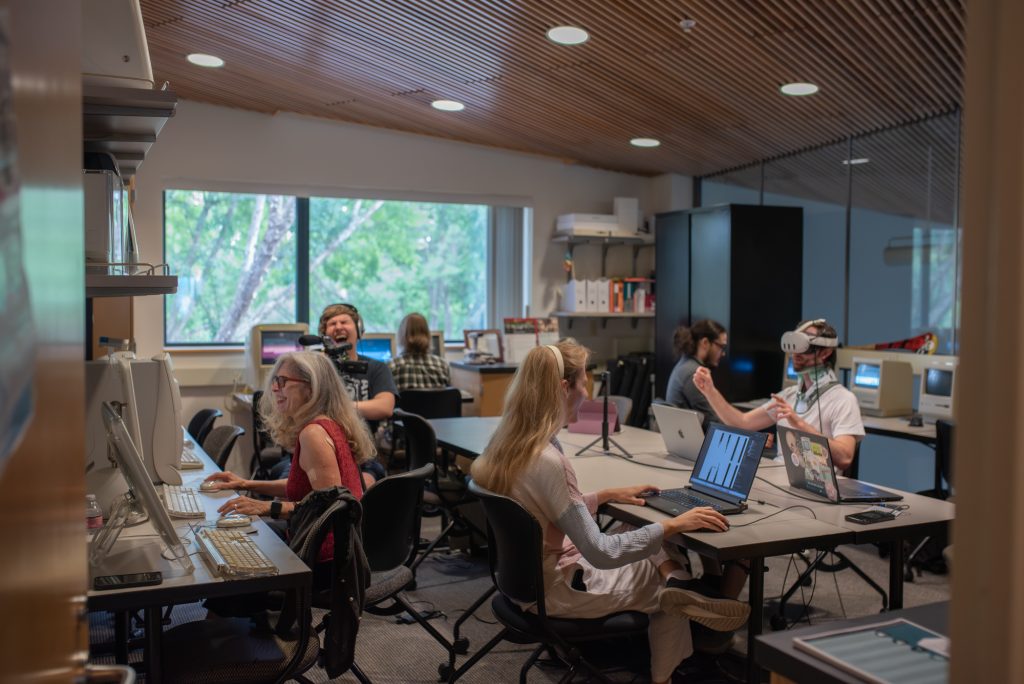
    Researchers working in the Electronic Literature Lab
    Rows of vintage Macintosh computers and software in the Electronic Literature Lab

    I chose this topic because I deal with it every day and I care deeply about this mission. I watch what happens when a work that hasn’t run in twenty years powers on, and it’s a completely different experience than simply reading a description. I see the loss when the disk doesn’t read, and we don’t know if there are any other copies left. I’ll be spending this semester crafting visual messaging to help inform people that this problem exists, and, hopefully, motivate them to help us keep this history alive.